 ← funkylauncher.com
RU
Atomic Nights
a modlist for Fallout 4
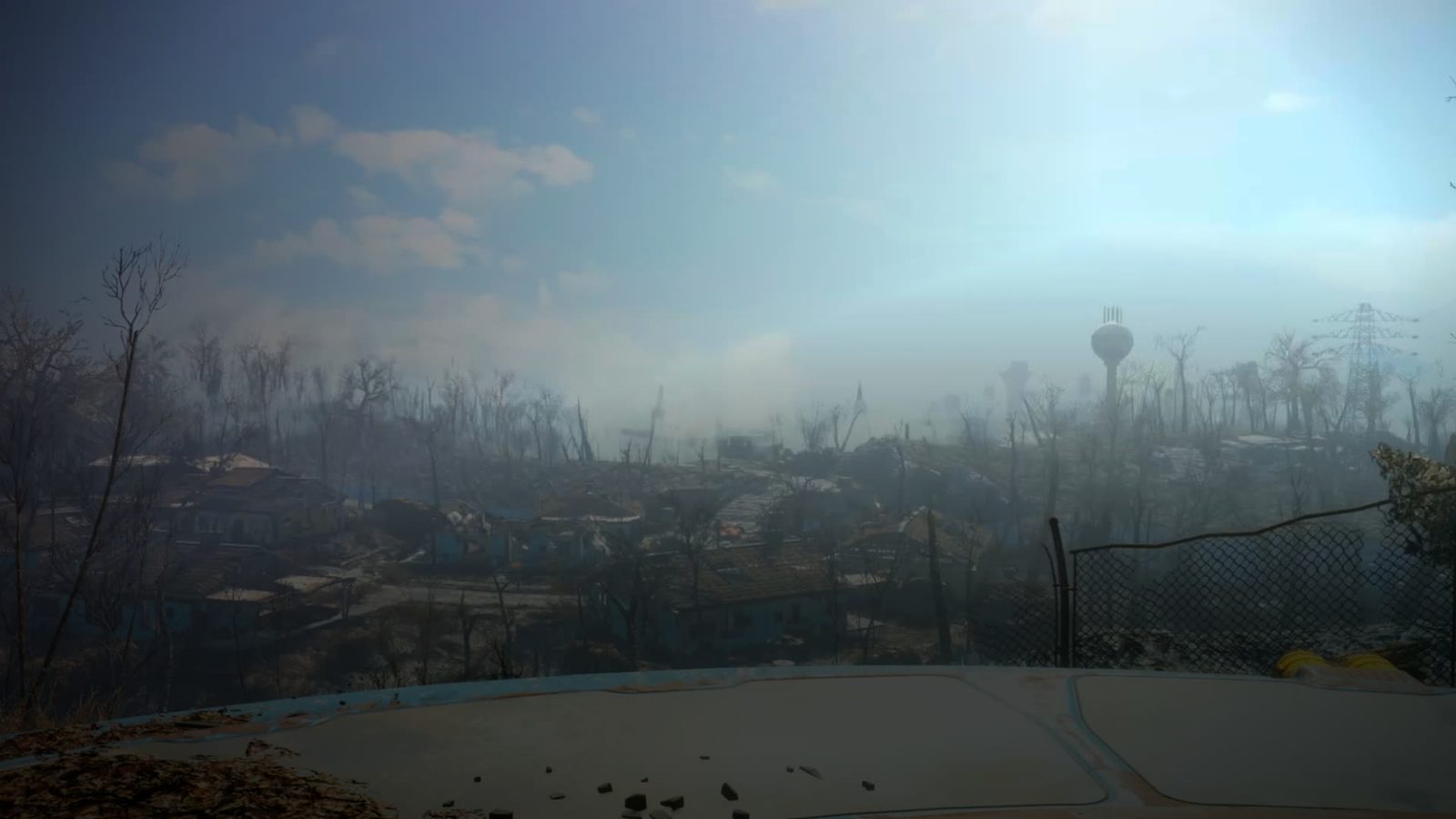
Atomic Nights is a "vanilla+" modlist for Fallout 4: the same game, only more stable, beautiful and handy, without turning it into a different one. I built it myself; the mods are picked to work together.
The launcher is free. Pick the modlist in the launcher's library.
In short
- Game: Fallout 4 version 1.11.240 + all 6 DLC.
- Mods: 180+.
- Modlist version: Russian or English, chosen in the launcher. In the Russian version, mod item names are translated by us (11,000+); the rest stays in English where there is no translation.
- DLSS 4 / FSR 3.1 — a checkbox, on by default; frame generation is off by default (results depend on your graphics card).
- Russian voice-over for the whole game and DLC is a third-party add-on by its author: switched on with a checkbox, the file is taken from the author's page on Nexus.
- You need: the installed game in the right version with all DLC and a Nexus Mods account (a free one works).
What changes in the game
🛠 Base & fixes. F4SE, crash and bug fixes, the mod settings menu (MCM).
🖥 Interface. FallUI: inventory, workbench, map, HUD; full lines in dialogues.
🌆 Visuals. New textures, weather, stars, lighting, a crisp picture.
🧑 Characters. HD faces, hairstyles, eyes, teeth, the LooksMenu appearance editor, full body in first person.
⚙️ Gameplay. Faster reloads, weapons on the body, a Pip-Boy flashlight, companions.
🗺 Quests & locations. New stories, Commonwealth islands and caves, encounters on the road.
🏘 Settlements. Workshop Framework, Homemaker, more building options and settlers.
🧥 Armor & clothing. Upgraded armor, backpacks, concealed armor.
🔫 Weapons. New weapons that fit the game.
🔊 Sound. Realistic reverb, footsteps, power armor and weapon sounds.
What is Atomic Nights
Atomic Nights is a modlist for Fallout 4 version 1.11.240 with all six expansions, 170+ mods (the exact number depends on the version). The style is "vanilla plus": the same Fallout 4, only more stable, better looking and handier. Inside are engine and settlement fixes, a comfortable inventory and workbench, new textures, light and weather, detailed faces, weapons and armour in the spirit of the game, new stories and places in the Commonwealth, extended settlement building and more realistic sound.
Who it is for
For players who want to replay Fallout 4 with fixes for old annoyances and common causes of crashes, but without changing the rules of the game. You don't have to install F4SE by hand, hunt for fixes or arrange the load order: Funky Launcher checks the game version and expansions, downloads the mods from their authors' pages on Nexus Mods and builds the modlist in a separate folder. You can switch individual mods off in the launcher, while the ones the modlist depends on stay locked.
Standard, High or Ultra
Standard is the base of the modlist; guideline: Core i7-4790 or Ryzen 5 1500X, GTX 1060 6 GB or RX 580 8 GB. High adds mods that run in the background all the time: more people, more encounters and new enemy behaviour in combat. The same graphics card will do, but these mods load the processor, so 6 cores or more are needed (i5-8400 or Ryzen 5 2600). Ultra adds HD graphics on top (textures, faces, distant views): it also needs 6 cores or more and a graphics card from RTX 2060 or RX 6600 with 8 GB of video memory. All versions need 16 GB of RAM and an SSD: about 85 GB for the modlist (about 90 GB for Ultra) plus the game itself. This is a guideline, not a measurement. The launcher suggests a version for your PC; it is best to change it on a new game.
FAQ
What do I need to install Atomic Nights?
Fallout 4 version 1.11.240 with all 6 expansions, a Nexus Mods account (a free one works), Windows 10 or 11 (64-bit) and disk space. The launcher checks this before installing.
Do I need Nexus Premium?
No. With Premium the mods download on their own; without it the launcher guides you step by step, and you press "Slow download" once on each mod page.
What happens to my game?
The modlist is installed into a separate folder. The launcher puts only 2 small F4SE loader files into the game folder; the "Restore clean game" button removes them.
What if the game crashes?
The launcher has Verify files, Repair, a return to the previous modlist version and an error report.
Can I turn off a mod I don't want?
Yes, in the "Modlist mods" window. Keep in mind that switching a mod off in the middle of a playthrough can break your saves. By default the launcher backs up your saves before every game launch from the launcher.
What came with launcher 0.1.23
7 new F4SE fixes:
- fixes aimed at smoother performance;
- fixes for lighting and black ground in the distance;
- grass sways in the wind and under your steps;
- walls and doors muffle sound;
- settlement and workshop fixes.
Also: the game window no longer opens small, and the game language is set correctly.
What's new in 0.1.2
- Translation fixes.
What's new in 0.1.1
- Russian version only: 11,000+ item names from mods are now in Russian: items, weapons and armor, mods, character names, locations, workshop objects and action prompts. Where the game already has an official name, we use it. The English version is unchanged.
- Automatic translation made with AI, mistakes are possible; free. Descriptions, dialogue, quest goals and a few mods whose authors forbid changes stay in English. The authors' files are not changed: the translation is a separate patch built on your PC.
- Found a funny translation or a mistake? Send a screenshot via "Report a flaw" in the launcher: we try to fix things in updates.
- To update, press "Update" on the modlist page: nothing is downloaded again.
How it installs
The launcher checks your game (version 1.11.240 and all DLC), downloads the mods from Nexus and builds the modlist in its own folder. With a Nexus Premium account everything downloads by itself; without Premium the launcher walks you through it: for each mod you press "Slow download" once — it takes longer, but the modlist is the same. The launcher puts the F4SE loader into the game folder itself (2 files), and "Restore clean game" removes it. Start the game with the "Play" button in the launcher.
What you need
- Fallout 4 version 1.11.240 + all 6 DLC.
- A Nexus Mods account (a free one works).
- SSD space: the game + about 85 GB for the modlist and mod archives, about 90 GB for Ultra (Russian voice-over: ~10 GB more).
- Windows 10 or 11 (64-bit). Hardware guideline, not a measurement: Standard and High — GTX 1060 6 GB or RX 580 8 GB; High and Ultra — a processor with 6 cores or more (i5-8400 or Ryzen 5 2600); Ultra — RTX 2060 or RX 6600 with 8 GB of video memory or better; 16 GB of RAM for all. Checked only on a laptop with an i7-13700HX, RTX 4080 Laptop and 32 GB RAM; the English version is built from the same mods, and the Russian version is the one checked in game.
Russian voice-over
The AI voice-over "Russian voice for Fallout 4" 2.4 (https://www.nexusmods.com/fallout4/mods/85110) is a third-party add-on by its author: switched on with a checkbox, the file is taken from the author's page on Nexus. Not checked with version 1.11.240.
All mods are downloaded from their authors' Nexus Mods pages — please endorse them. Atomic Nights is an unofficial fan-made mod collection. It is not endorsed by or supported by Bethesda Game Studios, Bethesda Softworks or ZeniMax Media. Fallout and Bethesda are trademarks of their respective owners. Mods belong to their authors.