
Game mods —
one button
Funky Launcher checks your game, downloads the mods and installs a ready modlist by itself. No "download, unpack, drop into the folder". Mods live in their own folder, and one button brings back the clean game.
⬇ Download free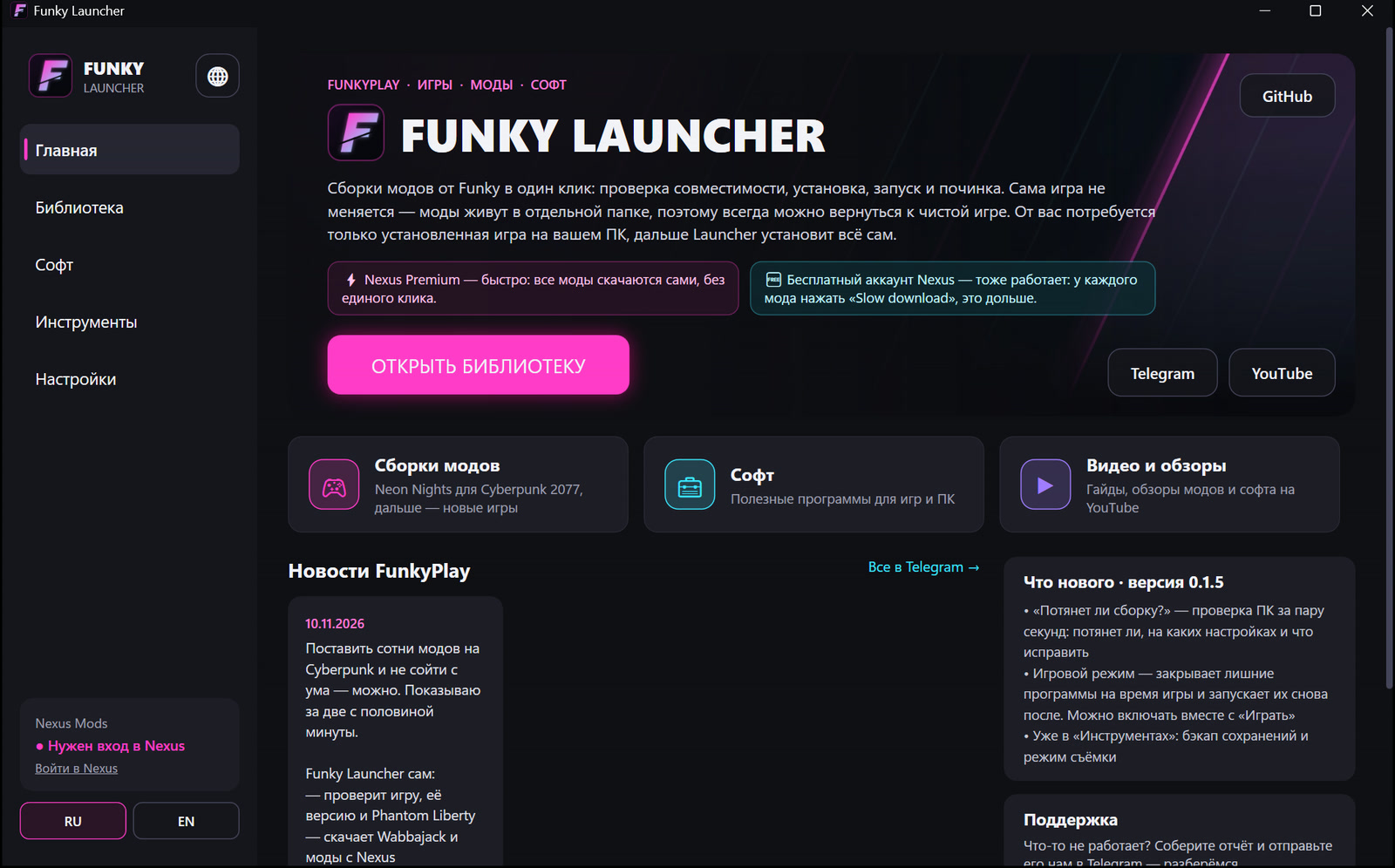
An evening of guides or one button
The usual way
- Find hundreds of mods and the right versions
- Download, unpack, drop into the game folder
- Find the mods your mods need
- Install and configure a mod manager
- The game won't start — hunt for what broke
Funky Launcher
- Download the launcher
- Pick a modlist in the library
- Press Install — the launcher checks the game and sets everything up
- Press Play
Different games. One launcher
 Available
Cyberpunk 2077 2.5 + Phantom Liberty. 400+ mods: new visuals and weather, a livelier Night City, apartments, hundreds of outfits, romances and cars. Russian or English modlist version.
About the modlist → Available
Starfield 1.16.244 + Shattered Space. 400+ mods: a handier interface, ship building, outposts, livelier cities, smarter enemies, a fresh look.
About the modlist → Available
Fallout 4 1.11.240 + all 6 DLC. 180+ "vanilla+" mods: more beautiful, stable and handy. A new interface, settlements, quests and locations.
About the modlist →The next modlist. Which game comes after it — we decide together with the community.
Not just mods. Free
Save backup
A copy of your saves before every launch, with one-click restore.
Game mode
Closes your browser, torrent client and other apps while you play, then starts them again.
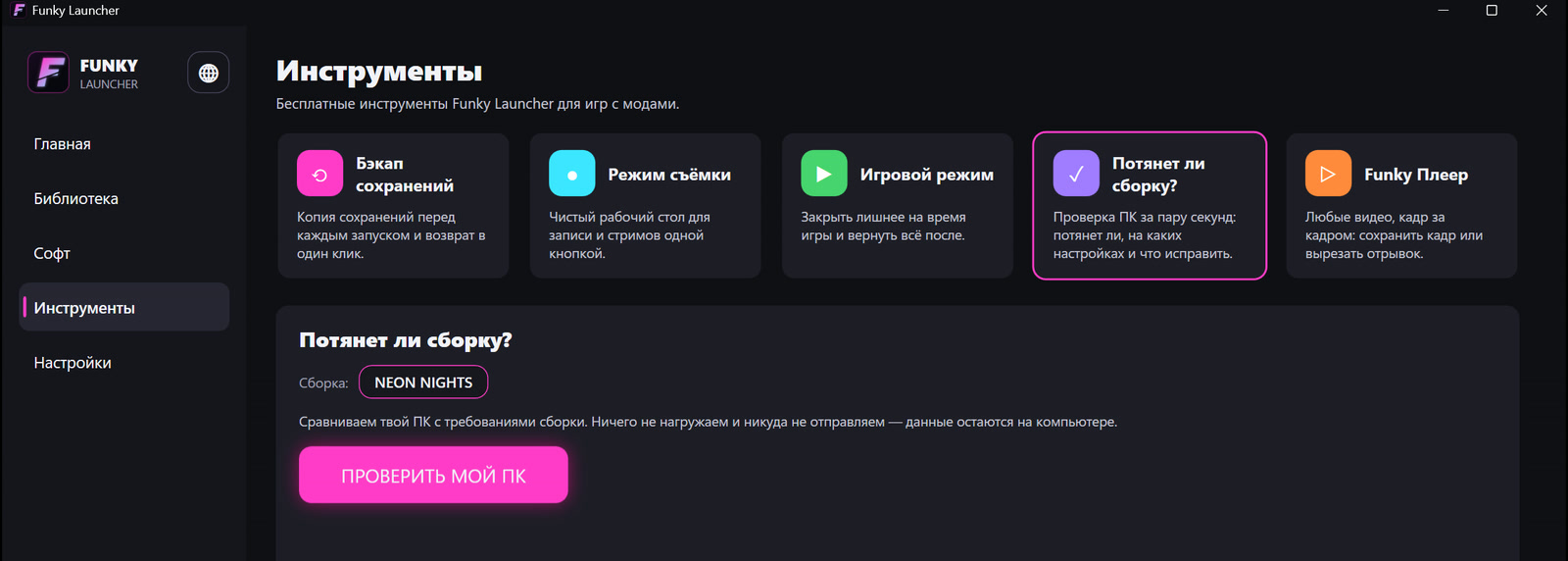
Can my PC run it?
A PC check before you install: can it run the modlist, on which settings, and what to fix.
Recording mode
A clean desktop for recording and streaming in one click.
Funky Player
Step through any video frame by frame: save a frame, cut a clip from your game recording.
Funky Help
Won't install? Share access with one button and we'll fix it — only while the window is open.
Honest and open
More comfort — for power users
Modlists, installs and support are always free. Pro adds extra launcher features and helps support the project. The price will be announced at launch.
- Cloud save backup to your own Google Drive, OneDrive or Yandex Disk
- Backups while you play and save slots per playthrough
- Hotkey and automation for recording mode
- Your own desktops with their own icons
- Automatic vertical clips for Shorts and TikTok
Frequently asked
Is it really free?
Yes. The launcher, modlists and support are free. Only Pro, with its extra tools, will be paid — everything works without it.
Do I need Nexus Premium?
No. A free Nexus Mods account works — you press "Slow download" for each mod, and it takes longer. With Premium everything downloads by itself.
Windows says "Unknown publisher". Is it safe?
The launcher isn't code-signed yet. The code is open on GitHub, the file is built from it on GitHub's servers, and you can check it against the checksum. Click "More info" → "Run anyway".
What does the launcher do to my game folder?
The modlist goes into its own folder. The launcher puts only a few small loader files into the game folder (6 for Cyberpunk 2077, 2 for Starfield and Fallout 4), because the mods need them to run. "Restore clean game" removes them.
What if it doesn't start?
Press "Make an error report" in the launcher and send it to @FunkyLauncherBot — we'll sort it out.
Which games are next?
Neon Nights (Cyberpunk 2077), Nova Nights (Starfield) and Atomic Nights (Fallout 4) are out, GTA V Enhanced is in progress.
How to install mods
General: How to remove mods · Questions and answers
Enough guides. Play
Download Funky Launcher and install your first modlist tonight.
⬇ Download free